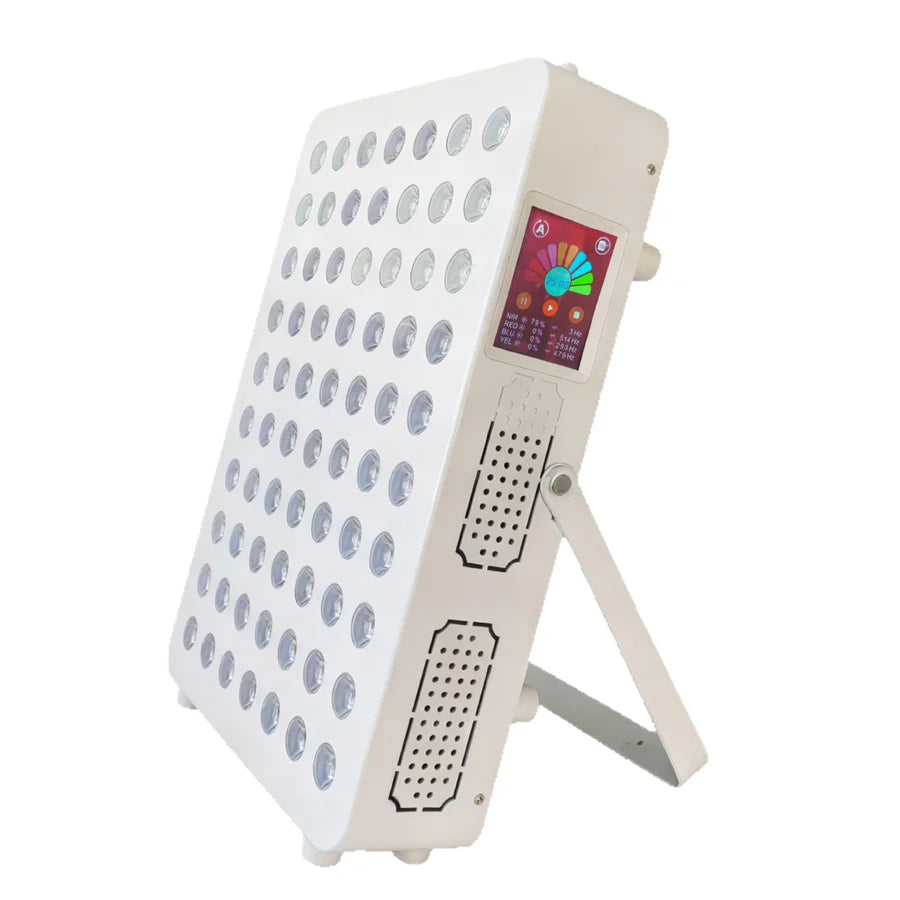
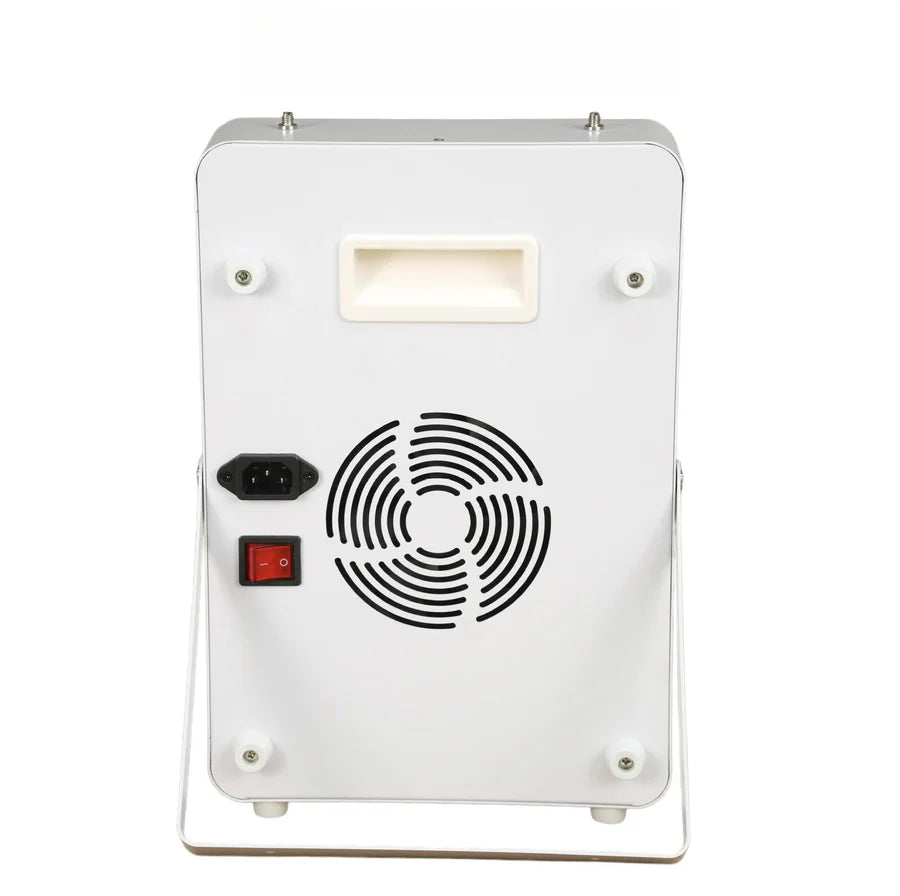
100W Red, Green and Near Infrared Light Therapy Panel with 660nm Red, 520nm Green and 850nm Infrared LEDs, 3-Channel Independent Control, Touch Screen, Adjustable Brightness and Timer, AC100–240V, Desktop Stand and Protective Goggles Included
Key Features
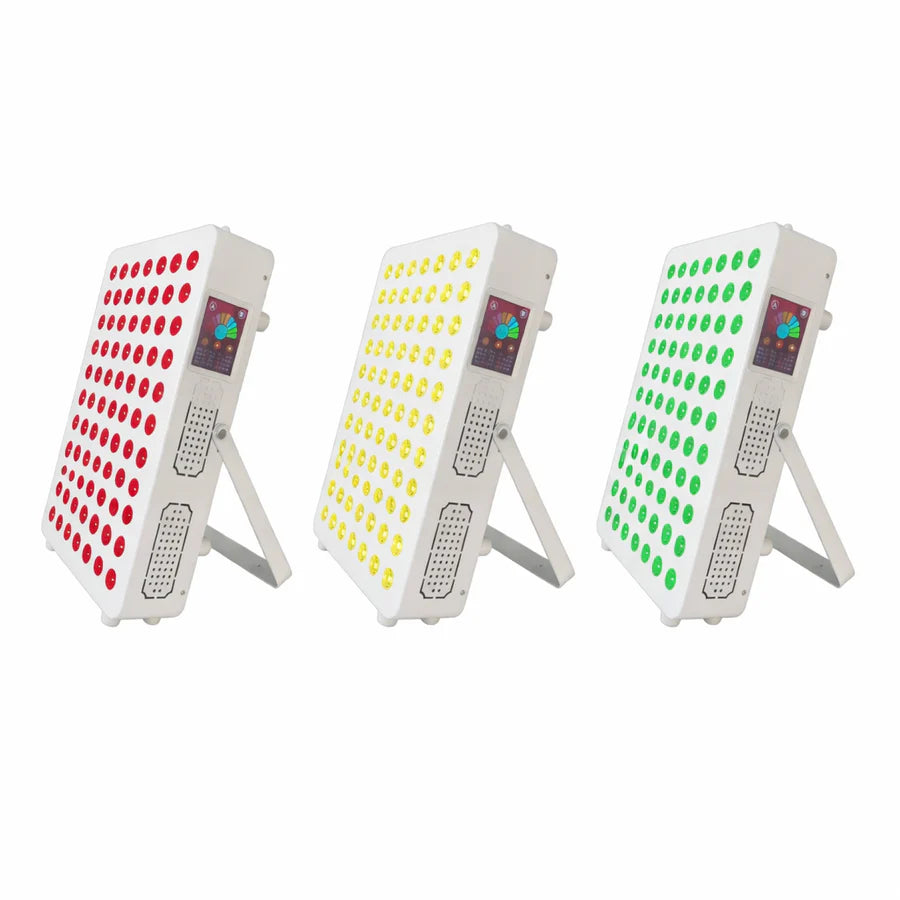
- Triple-Wavelength Light System: The HY-MRB350W-V3 combines 660nm red light, 520nm green light, and 850nm near-infrared light in one desktop panel for flexible personal skin-care and wellness routines.
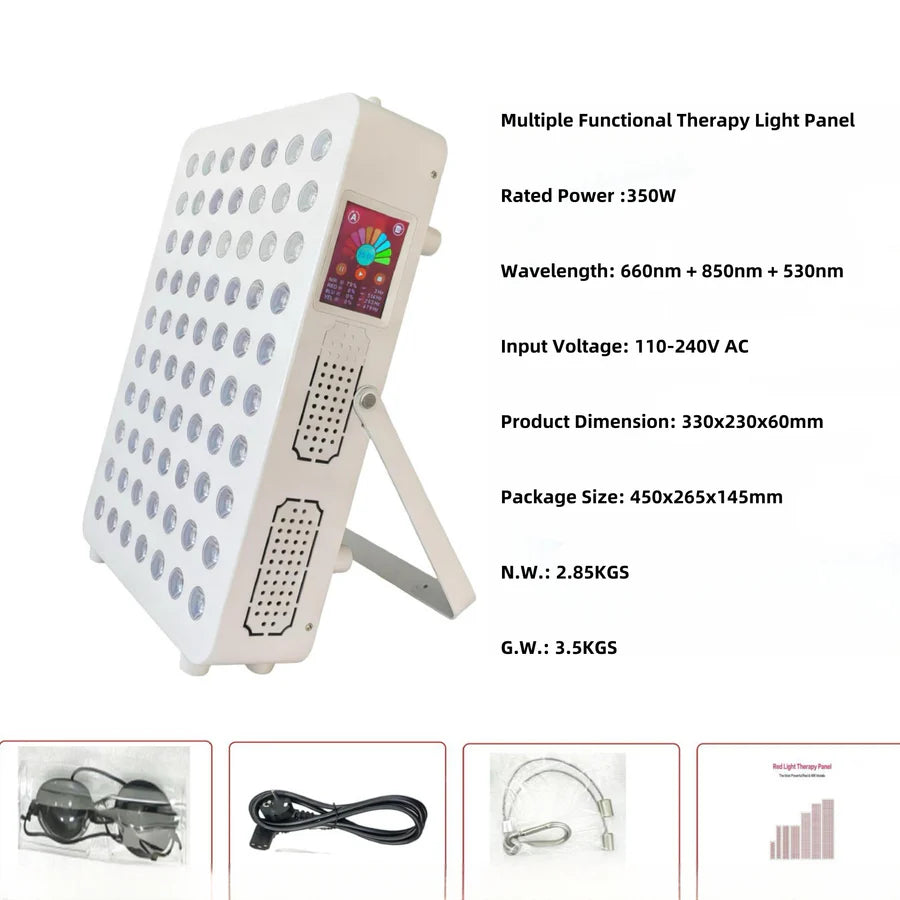
- 350W Nominal / 100W Actual Power: The panel is listed with 350W nominal power and approximately 100W actual operating power.
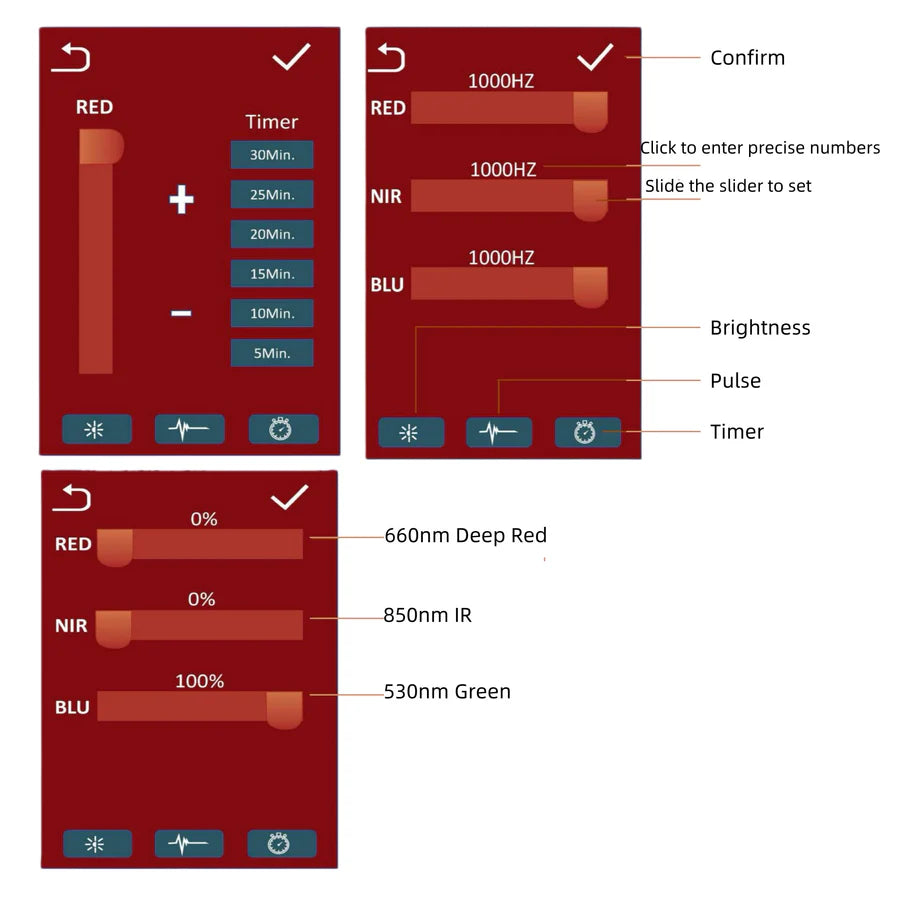
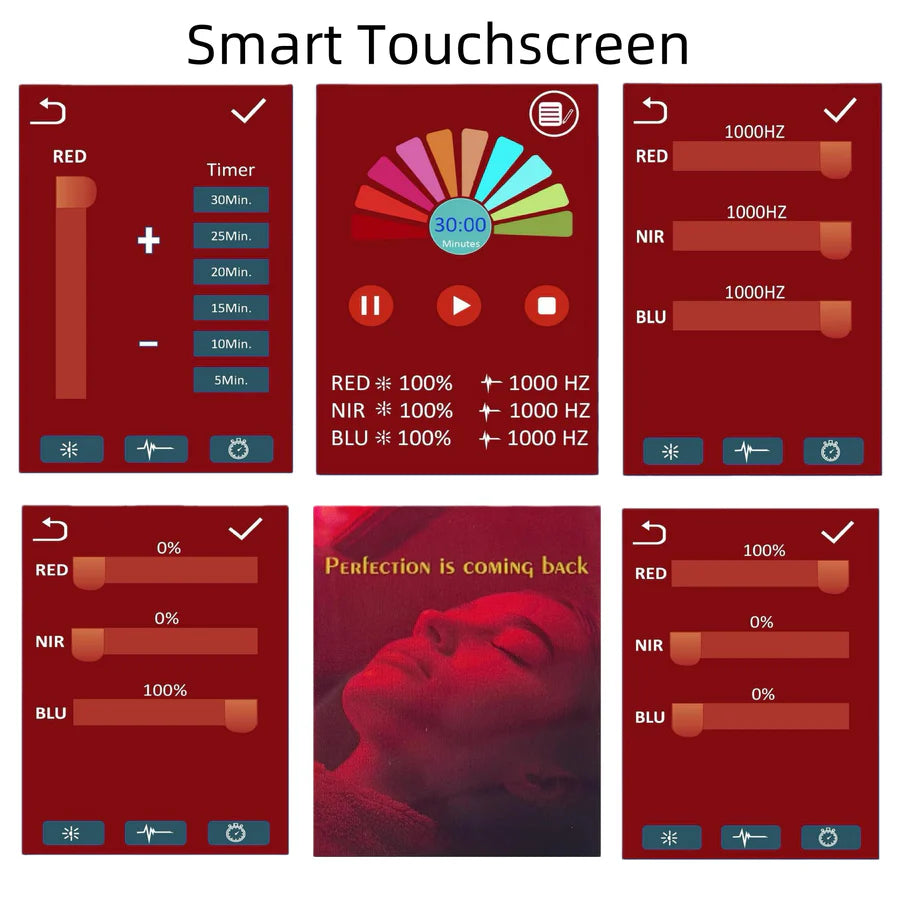
- 3-Channel Independent Control: Red, green, and near-infrared light channels can be controlled independently, allowing different wavelength combinations to be selected according to personal preference.
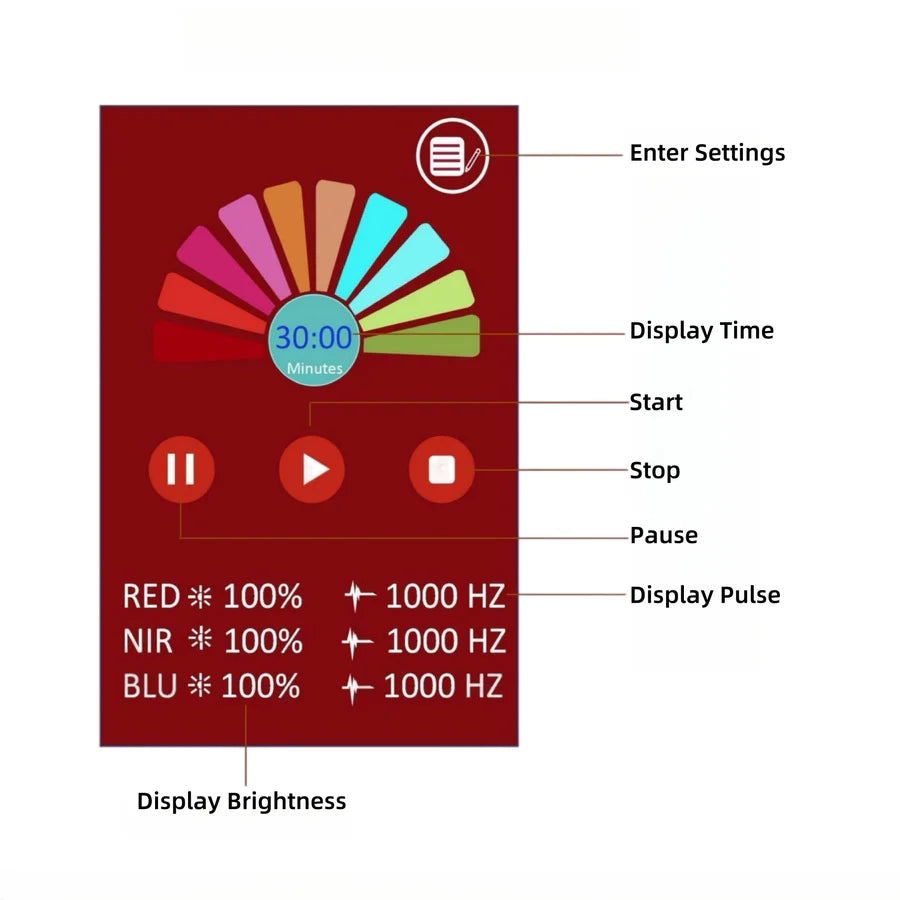
- Touch Screen Control: Integrated touch-screen operation provides convenient access to wavelength selection, brightness adjustment, and timer settings.
- Adjustable Brightness: Dimming control allows the intensity of the selected light channels to be adjusted for different personal light-care routines.
- Timer Function: Built-in timing control helps manage regular sessions without requiring a separate external timer.
- 660nm Red Light: Provides a visible red-light channel for personal skin-care and cosmetic light routines.
- 520nm Green Light: Adds an independent green-light channel for additional cosmetic skin-care applications.
- 850nm Near Infrared Light: Provides a near-infrared channel that can be used independently or together with the visible light channels.
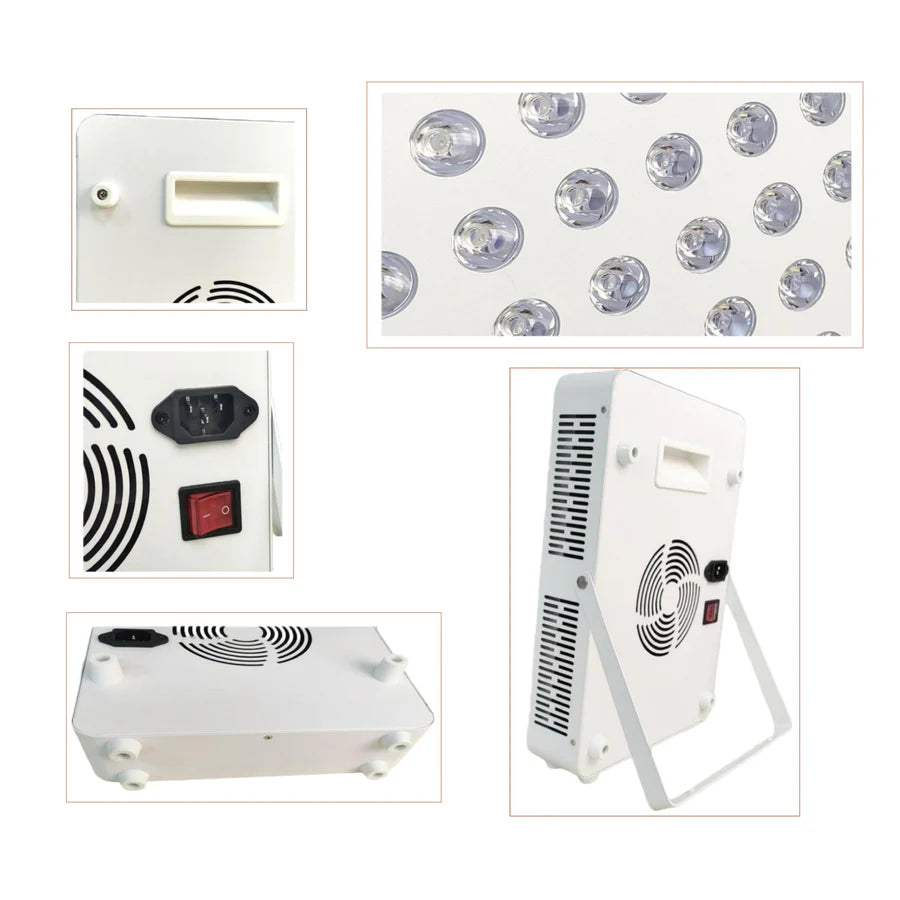
- Desktop Stand Design: Comes with a desktop stand for convenient positioning on tables, desks, counters, and other stable surfaces.
- Hanging Option: A hanging rope is included to provide an alternative installation and positioning option.
- White Housing: Clean white exterior provides a simple appearance suitable for home and personal wellness environments.
- AC100–240V Wide Voltage Input: Supports AC100–240V input for use in different regions with the appropriate plug version.
- US / UK / EU / AU Plug Options: Available with four regional plug configurations to match different electrical outlets.
- Protective Goggles Included: Protective eyewear is included for more comfortable operation during light sessions.
Specifications
- Model: HY-MRB350W-V3
- Product Type: Red, Green & Near Infrared Light Therapy Panel
- Nominal Power: 350W
- Actual Power: Approx. 100W
- Red Light Wavelength: 660nm
- Green Light Wavelength: 520nm
- Near Infrared Wavelength: 850nm
- Control Channels: 3 Independent Channels
- Control Type: Touch Screen
- Functions: Adjustable Brightness + Timer
- Input Voltage: AC100–240V
- Frequency: 50 / 60Hz
- Product Dimensions: Approx. 330 × 230 × 60mm
- Housing Color: White
- Stand Type: Desktop Stand
- Additional Mounting Option: Hanging Rope
- Plug Options: US Plug / UK Plug / EU Plug / AU Plug
- Protective Goggles: Included
- Package Size: 1-Pack
Power Note: The HY-MRB350W-V3 is listed with 350W nominal power and approximately 100W actual operating power.
Wavelength Note: This version combines three independently controllable wavelength channels: 660nm red, 520nm green, and 850nm near infrared.
Control Note: The three wavelength channels can be operated independently or combined according to the available touch-screen settings.
Applications
The HY-MRB350W-V3 is designed for flexible desktop light-care routines with independently controlled red, green, and near-infrared wavelength channels.
- Personal skin-care routines
- Cosmetic light-care use
- Face and body use
- Red-light routines
- Green-light skin-care routines
- Near-infrared light routines
- Targeted personal wellness use
- Home wellness spaces
- Desktop light-care sessions
- Hanging panel use
- Multi-wavelength light-care routines
Package Included
US Plug – 1-Pack
- 1 × HY-MRB350W-V3 Red, Green & Near Infrared Light Panel
- 1 × Desktop Stand
- 1 × Hanging Rope
- 1 × Protective Eye Goggles
- 1 × US Plug Power Cord
UK Plug – 1-Pack
- 1 × HY-MRB350W-V3 Red, Green & Near Infrared Light Panel
- 1 × Desktop Stand
- 1 × Hanging Rope
- 1 × Protective Eye Goggles
- 1 × UK Plug Power Cord
EU Plug – 1-Pack
- 1 × HY-MRB350W-V3 Red, Green & Near Infrared Light Panel
- 1 × Desktop Stand
- 1 × Hanging Rope
- 1 × Protective Eye Goggles
- 1 × EU Plug Power Cord
AU Plug – 1-Pack
- 1 × HY-MRB350W-V3 Red, Green & Near Infrared Light Panel
- 1 × Desktop Stand
- 1 × Hanging Rope
- 1 × Protective Eye Goggles
- 1 × AU Plug Power Cord
Package Note: All listed variants include the same HY-MRB350W-V3 light panel, desktop stand, hanging rope, and protective goggles. The main difference is the included regional plug type.
Order & Logistics
Lead Time
Usually ships within 1–3 business days when available from our local warehouses.
Delivery Information
This series follows our applicable free-shipping policy for qualifying orders over $399.
- Local Warehouse Delivery: When local inventory is available, delivery is typically approximately 3–7 days.
- Headquarters Warehouse – Standard Delivery: If local inventory is unavailable, standard delivery from our headquarters warehouse is typically approximately 9–18 days.
- Headquarters Warehouse – Express Delivery: Express delivery from our headquarters warehouse is typically approximately 5–9 days.
Installation & Usage
1. Confirm the Plug Type
Confirm that the selected US, UK, EU, or AU plug version matches the power outlet used in your area.
2. Position the Desktop Stand
Place the HY-MRB350W-V3 on a stable and level surface using the supplied desktop stand.
3. Adjust the Panel Position
Position the panel toward the intended area and confirm that the stand is stable before operation.
4. Optional Hanging Setup
The supplied hanging rope may be used when an alternative suspended position is preferred. Confirm that the mounting location can securely support the panel.
5. Connect to Power
Connect the panel to a compatible AC100–240V power source using the selected regional power cord.
6. Wear Protective Goggles
Put on the supplied protective eye goggles before operating the panel.
7. Select the Wavelength Channel
Use the touch screen to select the desired 660nm red, 520nm green, or 850nm near-infrared channel.
8. Combine Channels as Needed
The independently controlled channels may be used individually or in available combinations according to the intended light-care routine.
9. Adjust Brightness
Use the touch-screen controls to set the desired light intensity according to personal comfort.
10. Set the Timer
Use the built-in timer to manage the desired session duration.
11. Position the Target Area
Position the intended area in front of the panel and maintain a comfortable distance during operation.
12. Turn Off After Use
Turn off the light panel and disconnect power when the session is complete.
13. Maintain Ventilation
Keep the panel and surrounding area adequately ventilated during operation and do not cover the housing.
14. Store Safely
Store the panel, stand, hanging rope, goggles, and power accessories in a dry indoor location when not in use.
Usage Note: Avoid staring directly into the illuminated LEDs at close range. Use the supplied protective goggles and follow the product instructions for session distance, duration, and frequency.
Important: This product is intended for personal light-care and wellness use and is not a substitute for professional medical diagnosis or treatment.

New LED Aluminum Channels
Fresh Designs. Seamless Lighting.
Meet our latest LED aluminum channel additions, designed to bring a clean, modern finish to your lighting projects.
DISCOVER NOW