
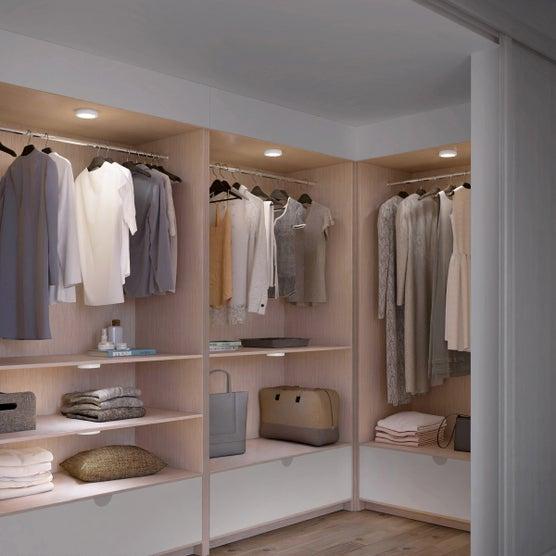
Cabinet lighting can make everyday spaces easier to use, from finding clothes in a dark wardrobe to preparing food beneath kitchen cabinets. But choosing the right light is not just about brightness or appearance. How the light turns on and off can make a significant difference in daily convenience.
Some cabinet lights activate automatically when they detect movement. Others use a touch button, hand-wave sensor or manual switch. Each option serves a different purpose.
The LightingWill Cabinet & Closet Lights collection includes rechargeable motion-sensor lights, touch-dimmable puck lights, hand-wave-controlled light bars and other cabinet lighting options.
This guide explains how these controls differ and which may work best for your home.
What Are Motion Sensor Cabinet Lights?
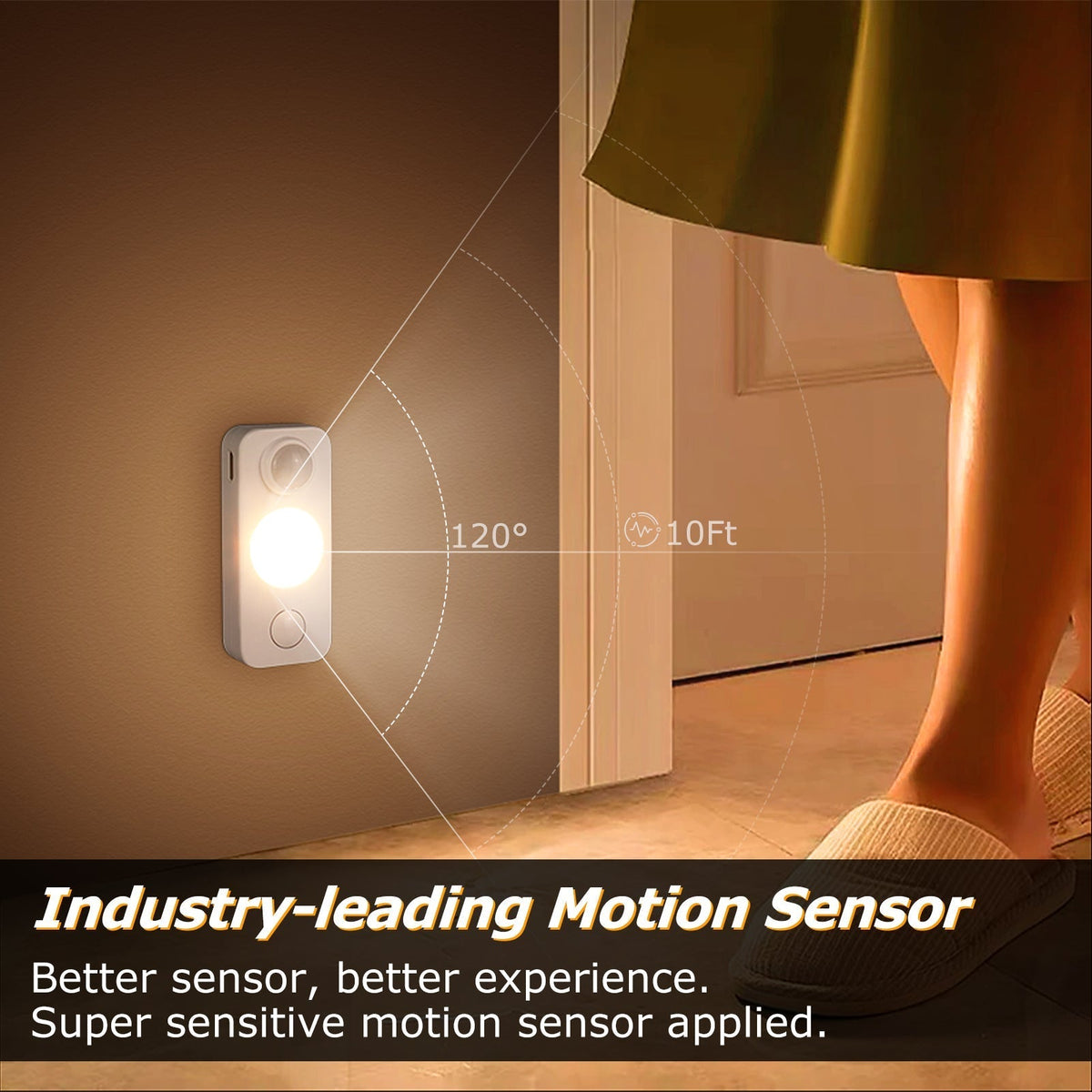
Motion sensor cabinet lights automatically illuminate when their sensor detects movement under the conditions supported by the product.
Many rechargeable closet lights combine motion detection with ambient-light sensing. In their automatic mode, they may activate only when the surrounding area is dark enough.
This makes them particularly useful for spaces where lighting is needed briefly.
Common applications include wardrobes, closets, storage cabinets and utility spaces.
Advantages of Motion Sensor Lights
- Hands-free activation
- Convenient for short visits to dark storage areas
- No need to search for a switch
- Automatic shutoff on supported models
- Rechargeable options can reduce wiring requirements
Limitations to Consider
Sensor placement matters. A light may not activate as expected if the sensor is blocked by clothing, shelving or cabinet doors.
Automatic operation may also be less suitable when you need uninterrupted lighting for a long task.
For example, selected LightingWill rechargeable under-cabinet lights offer an Auto Mode that detects movement in dark environments and turns off after approximately 30 seconds without motion. Actual sensor behavior varies by model.
What Are Manual Switch Cabinet Lights?
Manual switch lights require a deliberate action to turn the light on or off.
This may involve a physical button, inline switch, touch control or another dedicated control.
Manual operation gives users more direct control over when the light stays illuminated.
It can be particularly useful for kitchen preparation areas, workbenches and display shelves.
Advantages of Manual Controls
- Predictable operation
- Suitable for longer lighting sessions
- No reliance on motion detection
- Easy to control when a switch is accessible
Limitations to Consider
Manual controls require the user to reach the switch or control surface.
In a deep closet or awkward cabinet, the switch may be less convenient than automatic activation.
Motion Sensor vs Manual Switch: Key Differences
| Feature | Motion Sensor | Manual Switch |
|---|---|---|
| Activation | Automatic when conditions are met | User-operated |
| Best for | Closets and short visits | Longer tasks and displays |
| Hands-free use | Yes | Usually no |
| Automatic shutoff | Available on selected models | Not necessarily |
| Control over duration | Depends on modes | Direct user control |
| Installation | Depends on power source and mounting | Depends on product design |
Neither type is universally better. The most suitable choice depends on how the space is used.
What About Touch-Control Cabinet Lights?
Touch-controlled lights provide another option between traditional switches and automatic sensing.
Some LightingWill rechargeable puck and closet lights include touch controls for changing brightness or operating the light.
Touch controls can be useful when the fixture is installed within easy reach.
For example, a touch-dimmable puck light may work well inside a display cabinet or beneath a shelf.
However, touch operation varies between models. Some use a tap to switch modes and a long press to adjust brightness.
Always check the specific product instructions before purchasing.
How Do Hand-Wave Sensor Lights Work?
Hand-wave sensor lights respond to a hand movement near the sensor.
Unlike typical motion-sensor closet lights, they are designed around an intentional gesture near the fixture.
This makes them particularly useful in kitchens.
For example, you may want to switch on under-cabinet lighting while preparing food without touching the fixture.
Selected LightingWill under-cabinet light bars offer hand-wave operation and adjustable lighting settings.
Hand-Wave vs Motion Sensor
A motion sensor is useful when you want lighting to activate as you approach or open a space.
A hand-wave sensor is useful when you want to decide exactly when the light should operate without pressing a button.
These functions should not be treated as interchangeable.
Which Control Is Best for Kitchen Cabinets?
Kitchen cabinets are used in different ways.
For food preparation areas, a manual, touch or hand-wave control may be more practical because you often need the light to stay on continuously.
A hand-wave sensor can be especially convenient when your hands are occupied.
Inside occasional-use storage cabinets, a motion sensor may be more convenient.
Consider the type of activity before choosing the control system.
Which Is Best for Closets and Wardrobes?
Motion sensor lights are often a practical option for closets.
When you open a wardrobe or approach a dark storage area, automatic activation can help you find clothing or accessories without locating a switch.
Rechargeable magnetic lights are particularly convenient where installing new wiring is undesirable.
For example, selected LightingWill rechargeable closet lights include magnetic mounting, motion sensing and adjustable color temperature options.
For a dressing area where the light must remain on while organizing clothing, choose a model with an appropriate always-on or manual mode.
Which Is Best for Bookshelves and Display Cabinets?
Display lighting often needs to remain illuminated for longer periods.
Manual or touch controls may be preferable when you want predictable lighting during the evening.
Dimmable models can also help create softer accent lighting.
Motion sensors may be useful inside storage shelves, but they are not always ideal for decorative displays that should remain illuminated continuously.
Rechargeable vs Plug-in Cabinet Lights
Control method and power source are two separate decisions.
A motion-sensor light may use a rechargeable battery, while a touch-controlled light may use a plug-in adapter.
Rechargeable lighting offers installation flexibility but requires periodic charging.
Plug-in lighting can provide continuous power without battery recharging, although it requires a suitable outlet and cable routing.
LightingWill offers both rechargeable and adapter-powered cabinet lighting options.
How to Avoid False or Missed Activation
For sensor-based lighting, placement is essential.
- Keep the sensor unobstructed.
- Aim it toward the area where movement is expected.
- Avoid placing objects directly in front of the sensor.
- Check whether the product uses ambient-light detection.
- Test the sensor before finalizing its mounting position.
- Follow the manufacturer's recommended detection range.
For rechargeable models, also maintain adequate battery charge.
Common Mistakes When Choosing Cabinet Light Controls
Assuming Every Motion Sensor Works in Daylight
Some automatic modes activate only in darker environments.
Confusing Hand-Wave and Motion Sensors
These respond to different actions.
Assuming Touch Control Always Includes Dimming
Only selected models support brightness adjustment.
Choosing Automatic Lighting for Long Tasks
A short automatic shutoff delay may interrupt continuous work.
Ignoring Switch Accessibility
A manual switch is less convenient if it is difficult to reach.
Overlooking Charging Requirements
Rechargeable lights need periodic maintenance.
Quick Selection Guide
| Location | Suggested Control |
|---|---|
| Closet or wardrobe | Motion sensor |
| Kitchen preparation counter | Hand-wave or manual |
| Deep storage cabinet | Motion sensor |
| Decorative bookshelf | Touch or manual |
| Display cabinet | Touch-dimmable or manual |
| Frequently accessed utility shelf | Motion sensor or manual, depending on use |
Conclusion
Motion sensor and manual switch cabinet lights are designed for different routines.
Motion sensing is convenient for closets and storage spaces where light is needed briefly. Manual and touch controls are useful when lighting should remain on for longer periods. Hand-wave sensors provide another practical option for kitchen work areas.
Before choosing, consider how frequently the space is used, how long the light needs to stay on and whether rechargeable or plug-in power is more appropriate.
Explore LightingWill Cabinet & Closet Lights to compare available lighting styles and control methods.


Commenta
Questo sito è protetto da hCaptcha e applica le Norme sulla privacy e i Termini di servizio di hCaptcha.